Installation Guide:
Setup IPTV on Any Device
How to Install on Samsung or LG Smart TV
For Smart TVs, we recommend two specific apps. Hot Player is a premium app known for its stability and performance (€5/year). For a free alternative, IPTV Smarters Pro is the best choice.
Option 1: Hot Player (Recommended)
This is a paid app, but it offers the best performance for 4K streams. You get a 1-month free trial to test it before buying.
Step 1: Download the App
Go to the App Store on your Samsung or LG TV. Search for "HOT PLAYER" and download the application.
Step 2: Find Your MAC Address
Open the Hot Player app on your TV. On the main screen, you will see a code labeled MAC Address (it looks like 00:1A:2B:3C:4D:5E). Write this down.
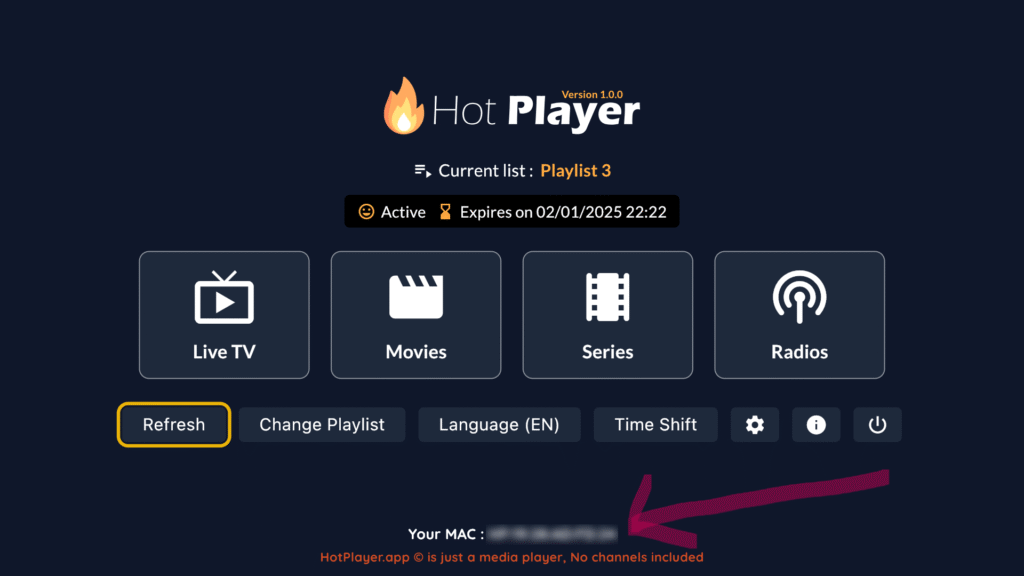
Step 3: Activate Your Playlist
- Open a browser on your phone or computer and go to: https://hotplayer.app/upload
- Enter the MAC Address you saw on your TV screen.
- Click Next.
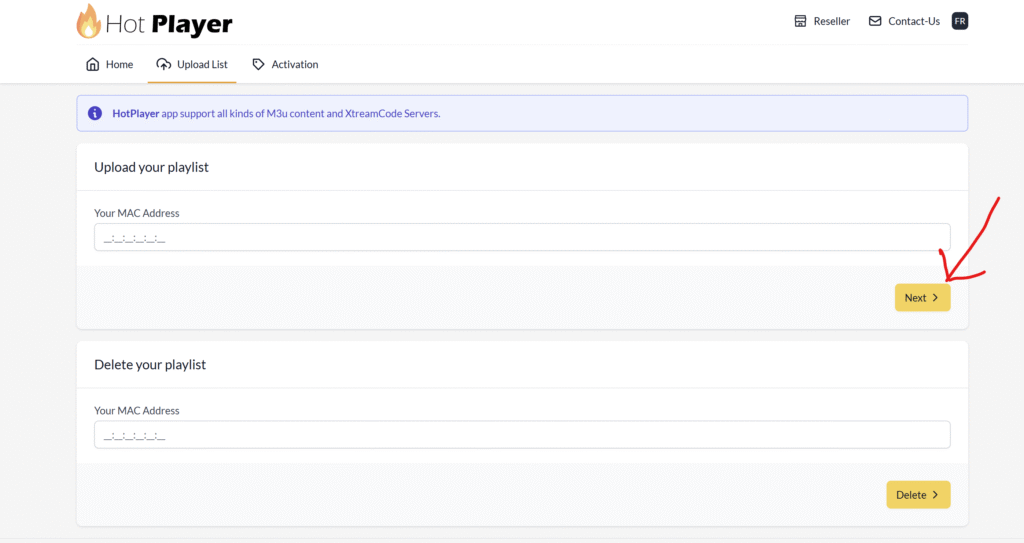
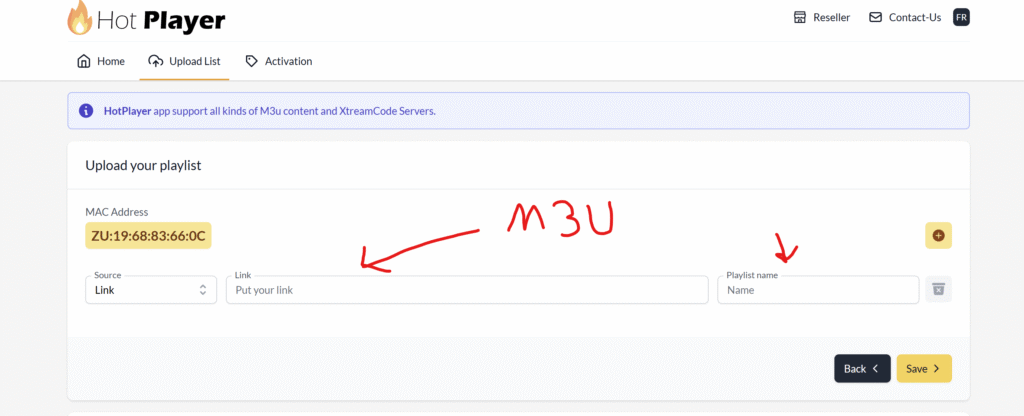
Step 4: Add Your M3U Link
- In the "Playlist Name" field, type IPTV Pakket.
- In the "M3U URL" field, paste the long M3U link we sent to your email after you subscribed.
- Click Save.
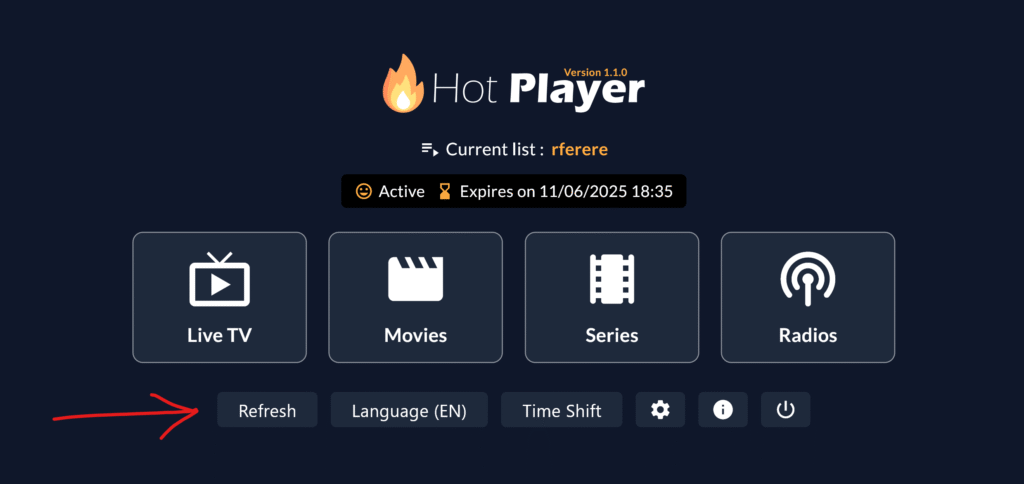
Step 5: Refresh and Watch
Go back to your TV and click the Refresh button inside the Hot Player app. Your channels and movies should now load instantly.
How to Pay for Hot Player?
After your 1-month trial ends, go to the Hot Player website, enter your MAC address, and choose "Activation." You can pay the small fee (€5/year or €13/lifetime) via Card or PayPal.
Option 2: IPTV Smarters Pro (Free)
The best free option. It has a great interface but setup is slightly different.
Step 1: Download Smarters Pro
Open your Samsung or LG Content Store, search for "IPTV Smarters Pro", and install it.
Step 2: Login with API (Xtream Codes)
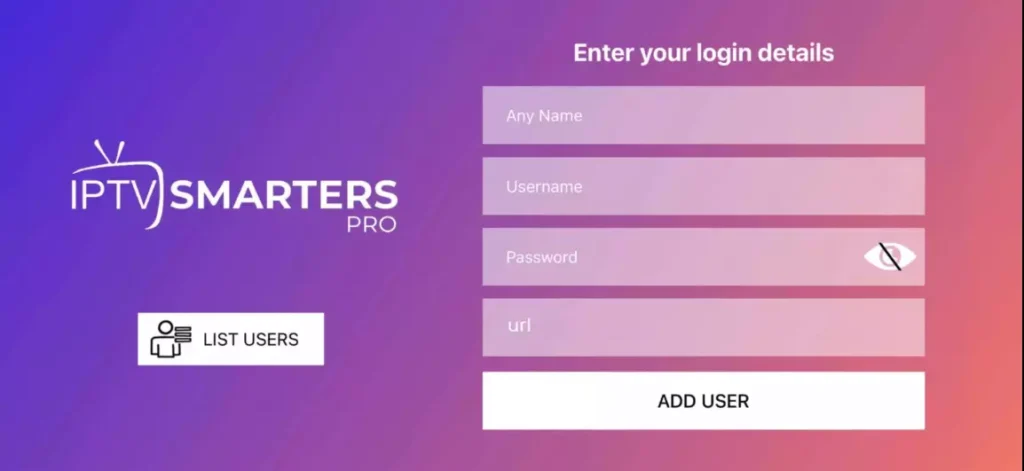
Open the app. You will see 4 boxes to fill in. Use the details from your confirmation email:
- Any Name: Type "IPTV Pakket".
- Username: Enter the username from your email.
- Password: Enter the password from your email.
- URL: Enter the server URL from your email (e.g., http://line.url:80).
Step 3: Add User and Watch
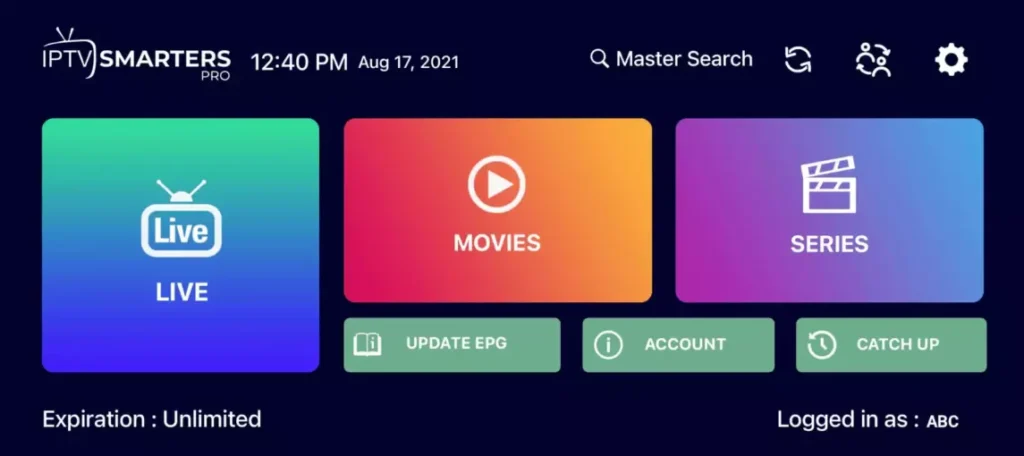
Click Add User. Click on the profile you just created. You will now see the dashboard with "Live TV", "Movies", and "Series". Click any icon to start watching!
How to Install on Android TV / Box
Content coming soon for Android devices. We recommend using the "Downloader" app to install IPTV Smarters or TiviMate.
How to Install on Amazon Firestick
Content coming soon for Firestick. You will need to enable "Developer Options" and use the Downloader app.
How to Install on iOS / Apple TV
Content coming soon for Apple devices. We recommend "Smarters Player Lite" or "GSE Smart IPTV" from the App Store.
How to Install on PC or Mac
Content coming soon. You can use VLC Media Player or the IPTV Smarters web player.
Don't have a subscription yet?
Get instant access to 7,000+ channels and follow this guide to start watching in minutes.
Get Subscription