Samsung & LG Smart TV Setup
Setting up IPTV on your Smart TV is easy. We recommend two apps: Hot Player (Premium, highly stable) and IPTV Smarters Pro (Free, user-friendly).
Hot Player
Offers the best performance for 4K streams. Comes with a 1-month free trial (then €5/year).
Step 1: Download the App
Go to the App Store on your TV (Samsung Hub or LG Content Store). Search for "HOT PLAYER" and install it.
Step 2: Note Your MAC Address
Open the app. On the main screen, you will see a unique code called the MAC Address (e.g., 00:1A:2B:3C:4D:5E). Write this down.
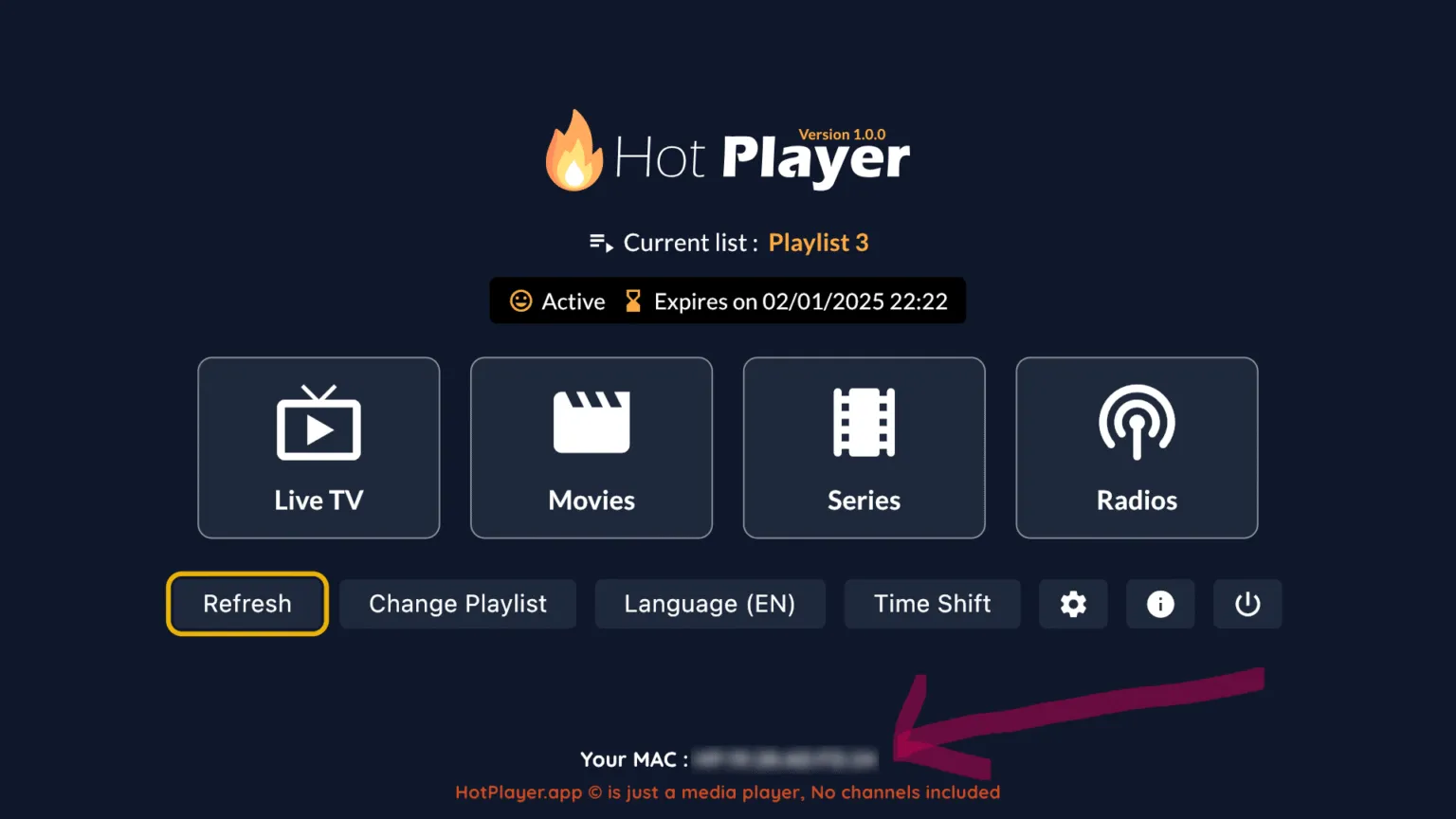
Step 3: Activate Playlist
- On your phone or PC, go to: https://hotplayer.app/upload
- Enter your TV's MAC Address.
- Click Next.
Step 4: Add M3U Link
- Playlist Name: Enter "IPTV Pakket".
- M3U URL: Paste the long link sent to your email.
- Click Save.
Step 5: Restart App
Go back to your TV and click Refresh (or restart the app). Your channels will load instantly.
IPTV Smarters Pro
Excellent free alternative with a Netflix-style interface.
Step 1: Download Smarters
Search for "IPTV Smarters Pro" in your TV's app store and install it.
Step 2: Login via Xtream Codes
Open the app and select "Login with Xtream Codes API". Enter the details from your email:
- Any Name: IPTV Pakket
- Username: (Check your email)
- Password: (Check your email)
- URL: http://line.url:80
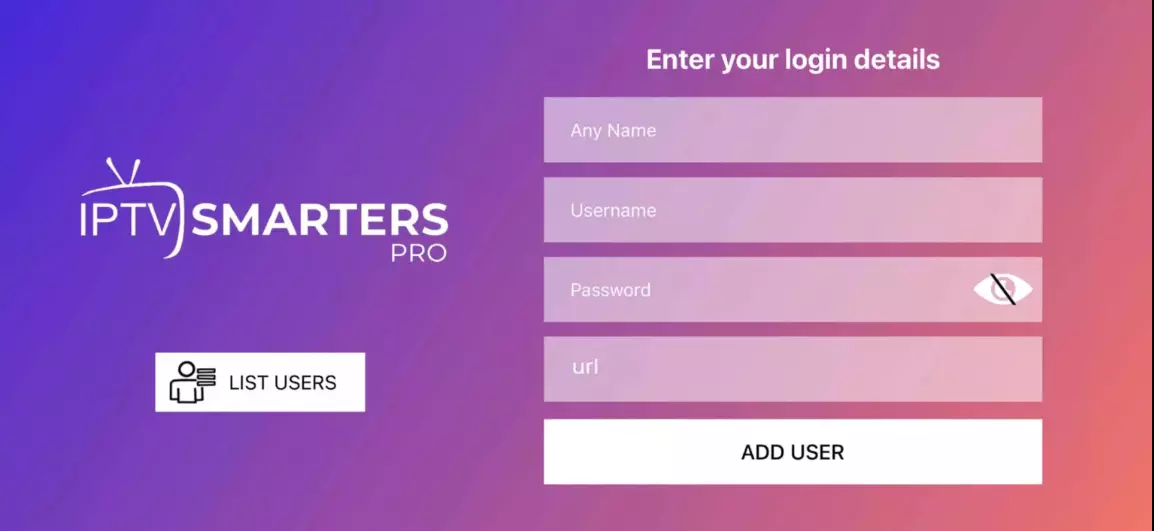
Step 3: Start Watching
Click "Add User". Click on your new profile card. You will see icons for Live TV, Movies, and Series.
Android TV & TV Box Setup
For Android TV devices and TV boxes, we also recommend using Hot Player for its premium performance, or IPTV Smarters Pro as a reliable free alternative.
Hot Player
The premium choice for Android, offering superior stability. Includes a 1-month free trial (then €5/year).
Step 1: Download the App
You can download Hot Player directly onto your Android device:
https://apk.hotplayer.app
Alternatively, you can use the "Downloader" app on your device and enter the URL above to install the APK.
Step 2: Note Your MAC Address
Open the app once installed. On the main screen, locate the MAC Address (e.g., 00:1A:2B:3C:4D:5E). Write it down.
Step 3: Activate Playlist
- On your phone or computer, visit: https://hotplayer.app/upload
- Enter the MAC Address from your TV screen.
- Click Next.
Step 4: Add M3U Link
- Playlist Name: Enter "IPTV Pakket".
- M3U URL: Paste the long M3U link sent to your email.
- Click Save.
Step 5: Refresh and Watch
Return to your Android device and click the Refresh button in the app. Your content will load immediately.
IPTV Smarters Pro
Step 1: Download Smarters Pro
Download the APK directly using this link:
https://www.iptvsmarters.com/smarters.apk
You can enter this URL in the "Downloader" app on your Android device to install it.
Step 2: Login via Xtream Codes
Open the app and enter your login details as provided in your subscription email:
- Any Name: IPTV Pakket
- Username: (From your email)
- Password: (From your email)
- URL: http://line.url:80
Step 3: Start Streaming
Click ADD USER. After a few seconds, click on the "Live TV", "Movies", or "Series" icons.
Amazon Firestick Installation
Firestick is one of the best devices for IPTV. Since the official IPTV apps aren't in the Amazon store, we will use the "Downloader" app to sideload them.
Prerequisite: Enable Developer Options
Before we start, you must allow your Firestick to install apps from unknown sources.
- Go to Settings > My Fire TV.
- Select Developer Options.
- Turn ON "Install Unknown Apps" (or "Apps from Unknown Sources").
- If you don't see Developer Options: Go to About, click on Fire TV Stick 4K (or your device name) 7 times quickly until it says "You are now a developer".
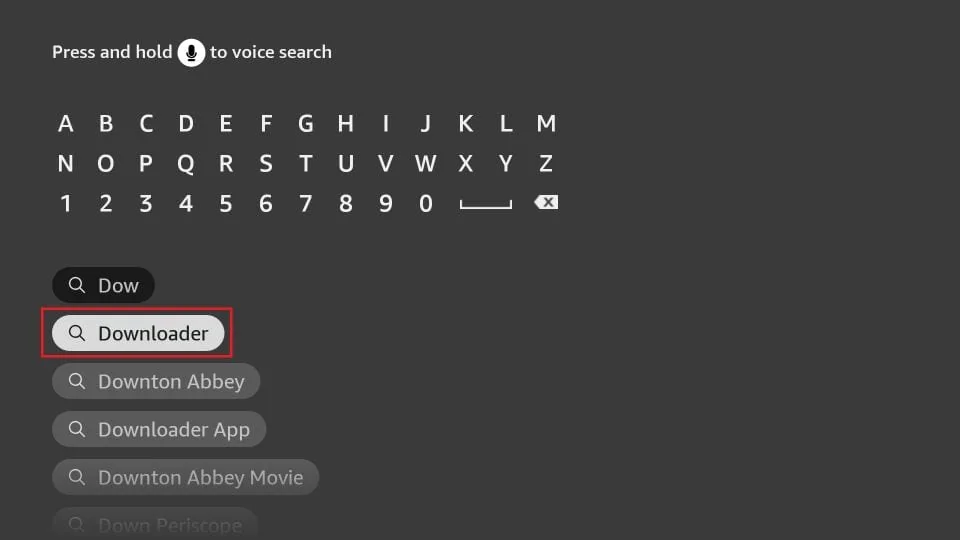
Step 1: Install the Downloader App
1. Go to the Firestick Home Screen and click the Search (Magnifying Glass) icon.
2. Type "Downloader".
3. Select the orange Downloader app and click Download or Get.

Step 2: Install IPTV Smarters Pro
1. Open the Downloader app.
2. In the URL/Search box, enter this code: 591178 (or 6468112).
3. Click Go. The app will start downloading automatically.

4. When the download finishes, click Install.
5. Once installed, click Open.
Step 3: Login to IPTV Smarters
1. Open the app and select "Login with Xtream Codes API".
2. Enter your details:
- Any Name: IPTV Pakket
- Username: (Check your email)
- Password: (Check your email)
- URL: http://line.url:80
3. Click Add User and start watching!
Setup for iPhone, iPad & Apple TV
For Apple devices, the best free app is Smarters Player Lite. It's the official iOS version of IPTV Smarters Pro and works perfectly on iPhone, iPad, and Apple TV.
Step 1: Download Smarters Player Lite
Open the App Store on your iOS device or Apple TV. Search for "Smarters Player Lite" and download it.
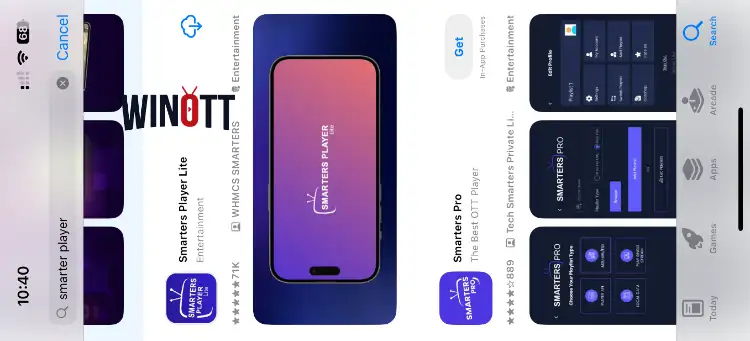
Step 2: Launch & Accept Terms
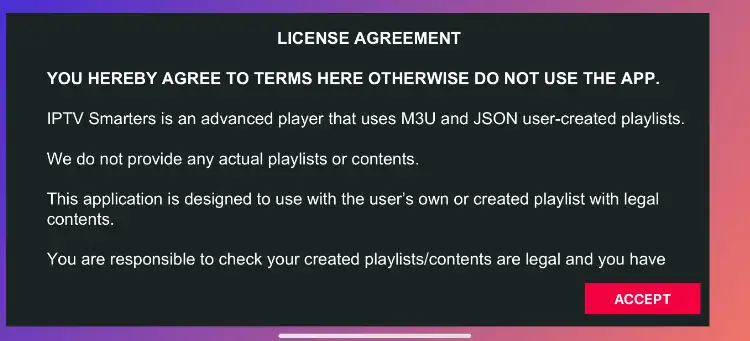
Open the app. You will see a Terms of Use screen. Click Accept to continue.
Step 3: Login with Xtream Codes
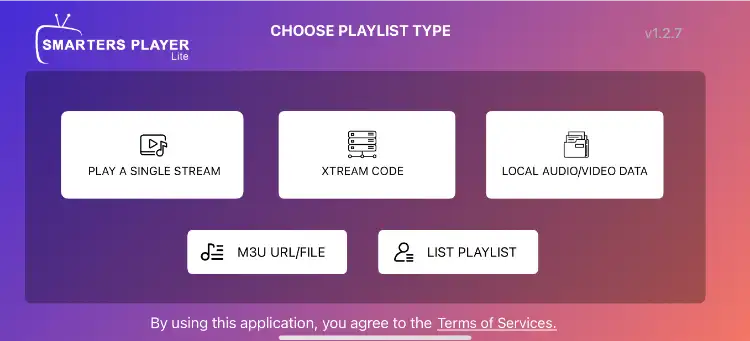
You will see a login screen. Select the option "Login with Xtream Codes API". Enter your subscription details:
- Any Name: IPTV Pakket
- Username: (Check your email)
- Password: (Check your email)
- URL: http://line.url:80
Step 4: Start Watching
Click Add User. Once loaded, you will see the main dashboard. Tap on Live TV to see your channels.
Setup for Windows PC
For Windows users, we recommend MyIPTV Player. It's a lightweight, reliable media player available directly from the Microsoft Store.
Step 1: Download MyIPTV Player
Open the Microsoft Store on your PC. Search for "MyIPTV Player" and install the app.
Step 2: Access Settings
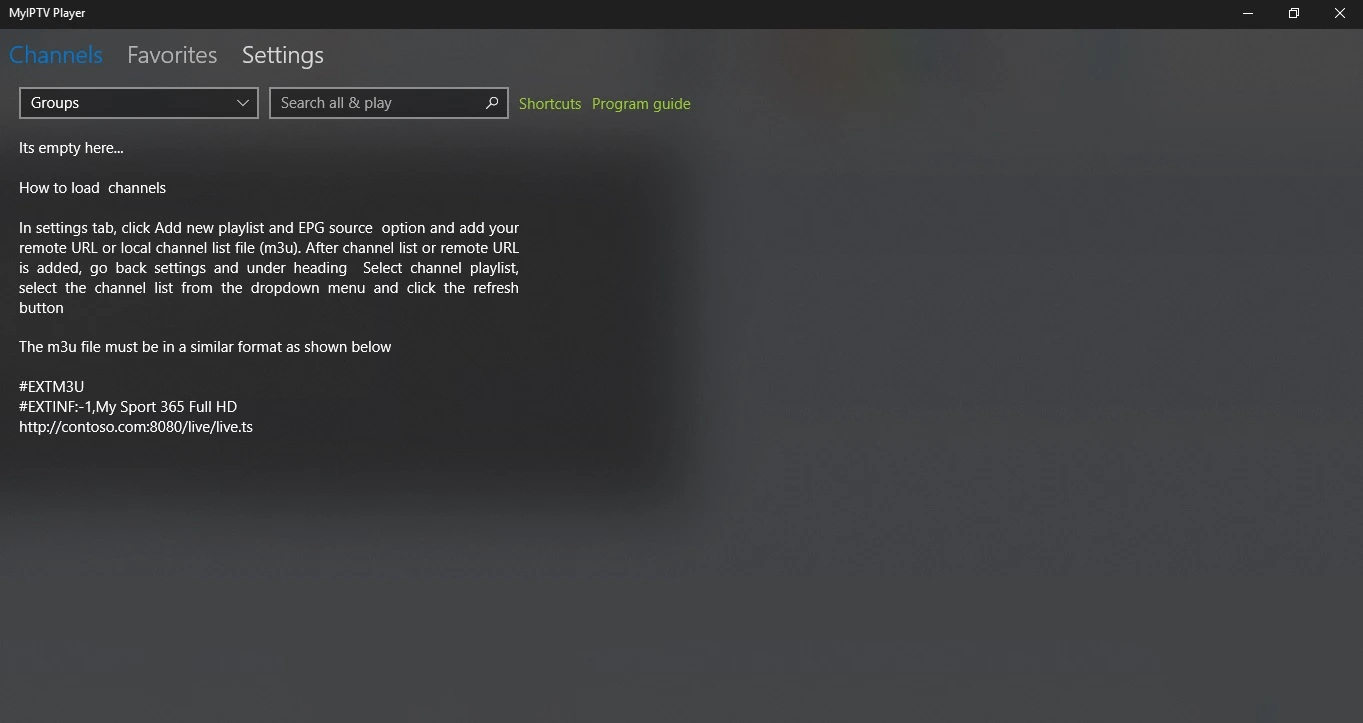
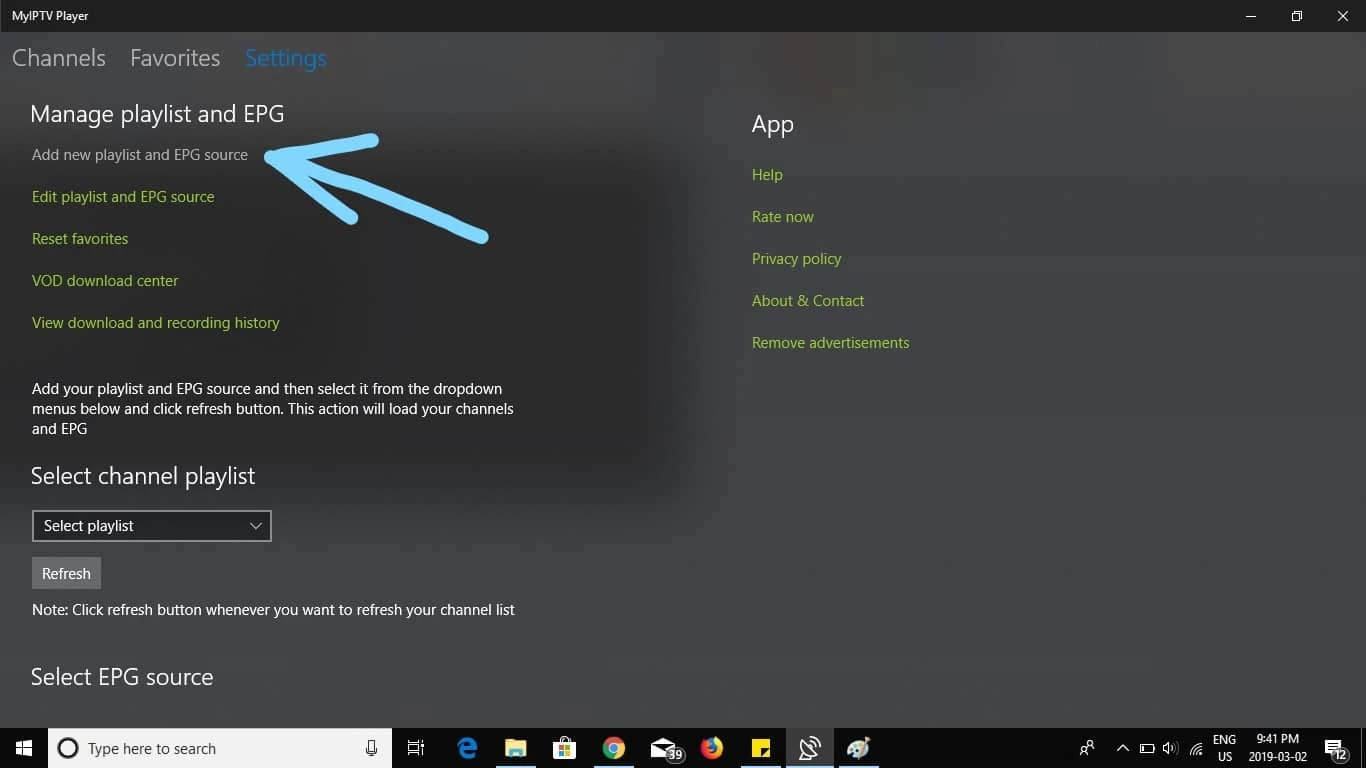
Open the app. You will see the main dashboard. Click on the Settings tab at the top of the screen.
Step 3: Add New Playlist
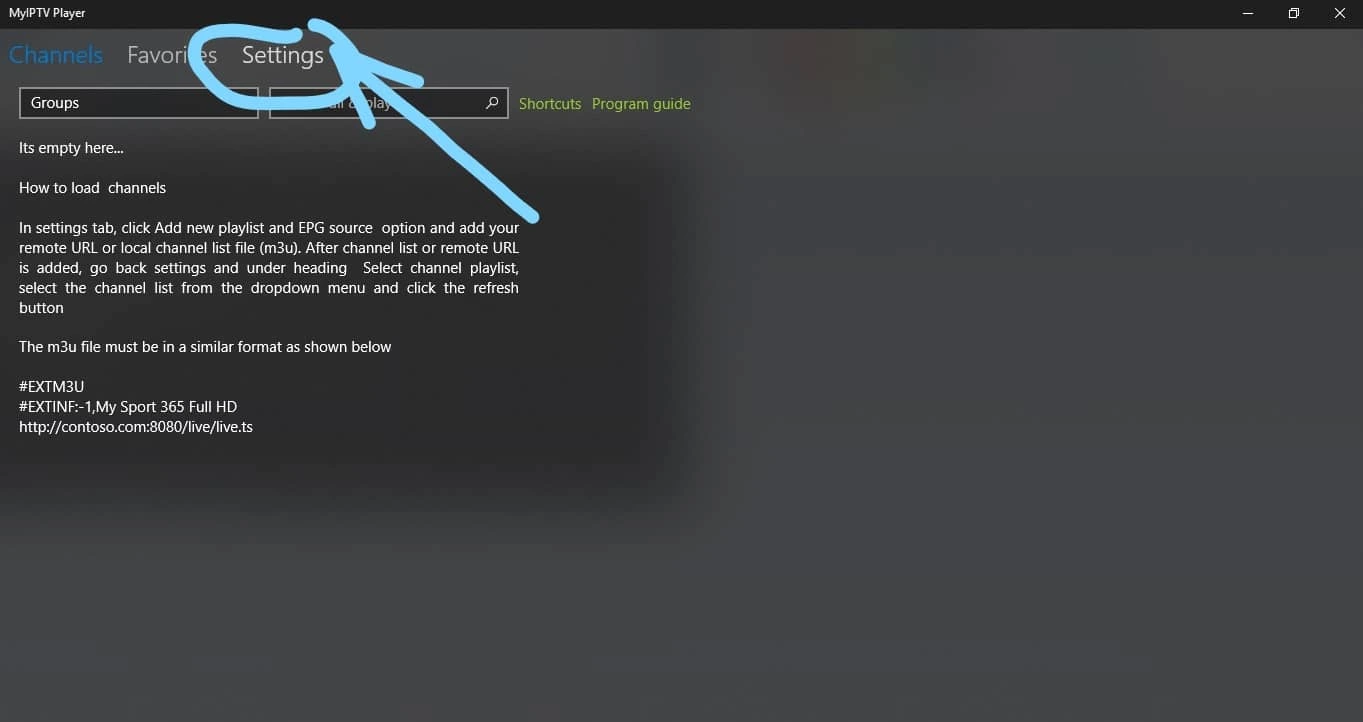
In the Settings menu, click on "Add new playlist and EPG source".
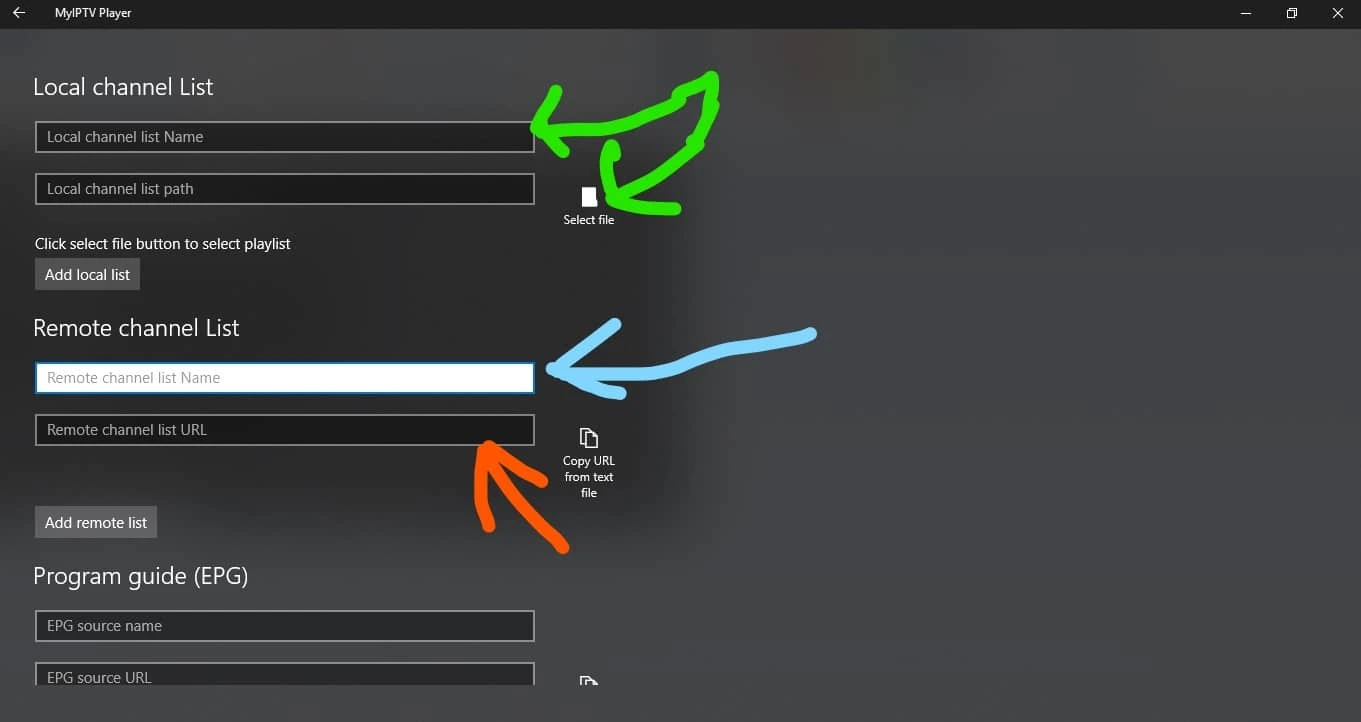
Step 4: Enter Playlist Details
Under the "Remote Channel List" section:
- Name: Type "IPTV Pakket".
- Source (URL): Paste the M3U link sent to your email.
Click Add remote list.
Step 5: Select Playlist
Go back to the Settings menu. Under the "Select Channel Playlist" dropdown, verify that "IPTV Pakket" is selected. click Refresh.
Setup for MAG Box & Formuler Devices
MAG boxes and Formuler devices use a different connection method called "Portal URL" (Stalker Portal). You will need to provide us with your device's MAC Address to activate it.
Step 1: Find Your MAC Address
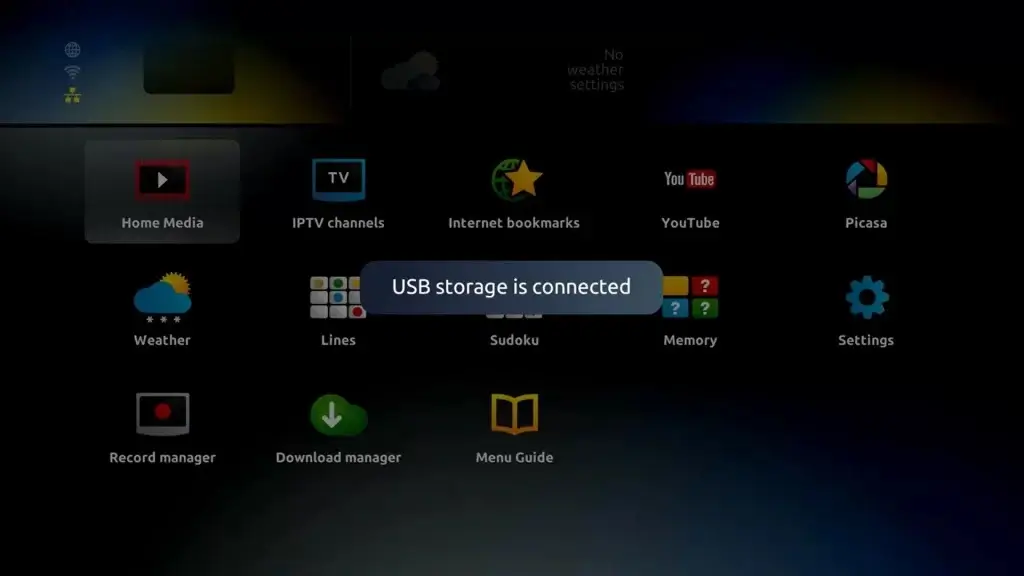
Turn on your MAG box. Go to Settings > System Info > Device Info.
Look for the MAC Address. It starts with 00:1A:79.... Write this down.
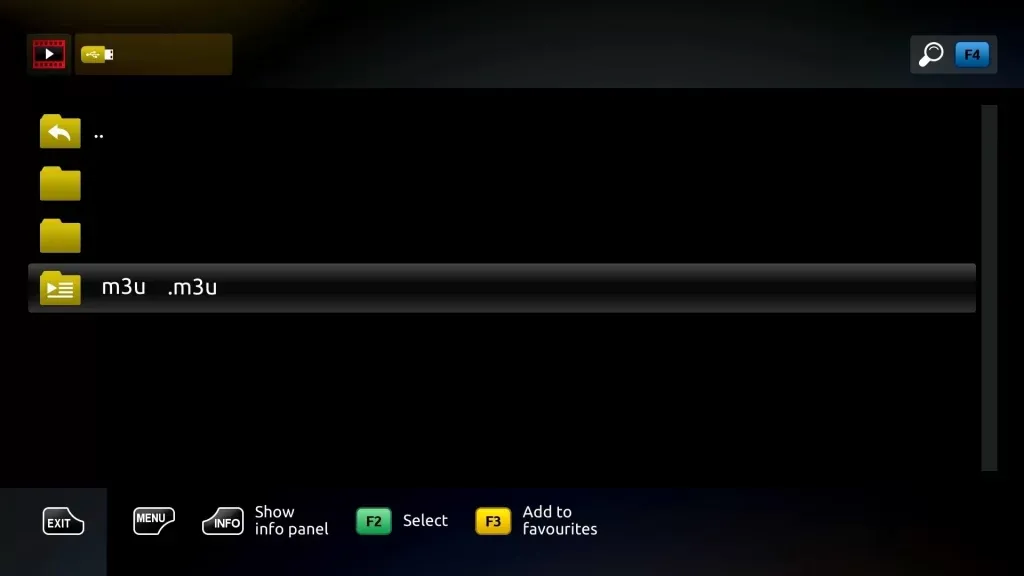
Step 2: Configure Portal URL
Go to Settings > System Settings > Servers > Portals.
Step 3: Enter Portal Details
You will see settings for Portal 1 and Portal 2. Use Portal 1:
- Portal 1 Name: IPTV Pakket
- Portal 1 URL: http://line.url:80/c/ (Check your email for the exact URL)
Step 4: Save and Reboot
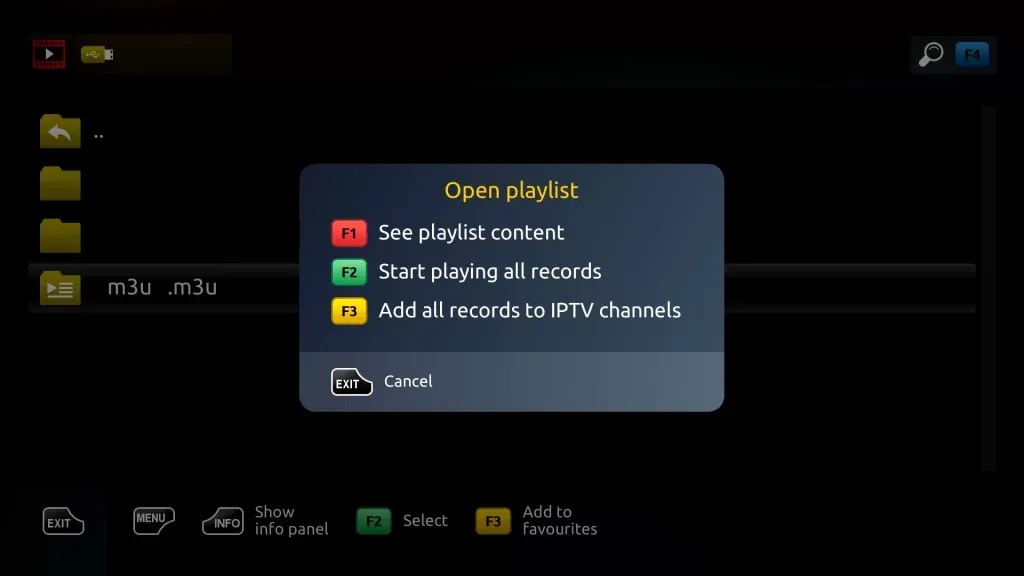
Press "OK" to save. Go to General > Restart Portal or unplug your device.